
Home · Technology · Oct 5 archive
Googlebook Features Require Android 17, Limiting Availability
Confirmed
In Short: Google has released support pages detailing key features of the Googlebook, but many users may miss out on these features without an Android 17 phone.
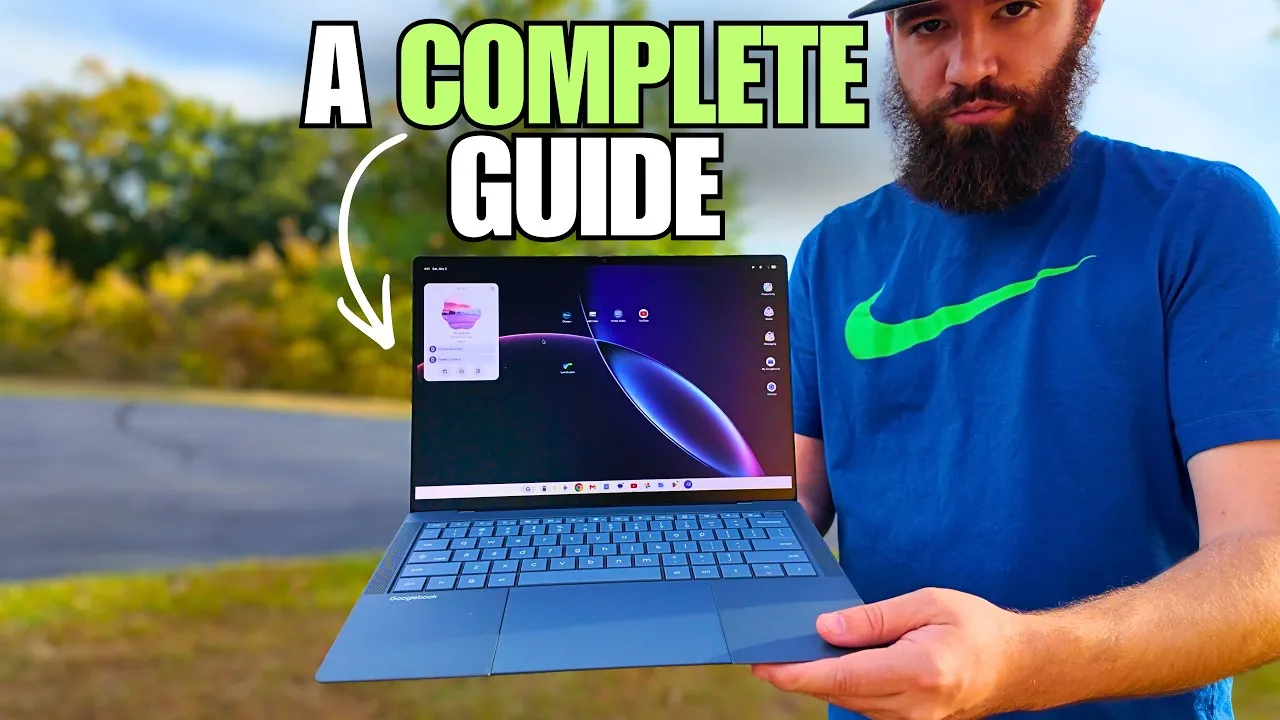
Google has released detailed support pages for the Googlebook, highlighting key features such as the Glowbar and Game Controls, as the devices go on sale.
The Glowbar, an RGB color strip on the back of the Googlebook, stays dimly lit in white when the laptop is in use and glows brighter when charging.
Game Controls is another feature that allows users to assign keys to on-screen controls for Android games running on the Googlebook.
However, Google has revealed that these new cross-device features require a phone with Android 17.
Unfortunately, relatively few Android phones have Android 17 right now.
Samsung’s latest foldables launched with the Android 17-based One UI 9 update, but owners of mid-range Galaxy phones or even older flagships are still waiting for the update.
Google Pixels generally have the latest version of Android, but other OEMs are still launching phones with Android 16, like the POCO F9 series.
Google announced the Googlebook platform on The Android Show on YouTube, detailing new features coming in Android 17 and Gemini Intelligence.
The company says it will share more information later this year, but it is clear that the integration with Android 17 is crucial for full functionality.
Google is purposefully not sharing the operating system's name yet, but Dell, Acer, Asus, HP, and Lenovo have all signed up to produce Googlebooks coming later this fall.
Google has been encouraging app developers to make apps react to the size of the screen for a few years now, and that now translates to encouraging app makers to make desktop versions of their Android apps for Googlebooks.
The Magic Pointer, a cursor feature, is one of the key selling points of the Googlebook, but it is not an Android desktop feature.
What this adds
The Glowbar and Game Controls features were previously mentioned in WarpBeat's coverage of Googlebook features.
The requirement for Android 17 limits the availability of these features to a smaller subset of users.
The support pages provide guidance on setting up and customizing the Googlebook, including how to make the best use of unique features like the Glowbar and on-screen key-mapping.
Background
Game Controls is another feature that allows users to assign keys to on-screen controls for Android games running on the Googlebook.
What's confirmed
- Google has released detailed support pages for the Googlebook, highlighting key features such as the Glowbar and Game Controls, as the devices go on sale.
- The Glowbar, an RGB color strip on the back of the Googlebook, stays dimly lit in white when the laptop is in use and glows brighter when charging.
- Game Controls is another feature that allows users to assign keys to on-screen controls for Android games running on the Googlebook.
- However, Google has revealed that these new cross-device features require a phone with Android 17.
- Unfortunately, relatively few Android phones have Android 17 right now.
- Samsung’s latest foldables launched with the Android 17-based One UI 9 update, but owners of mid-range Galaxy phones or even older flagships are still waiting for the update.
- Google Pixels generally have the latest version of Android, but other OEMs are still launching phones with Android 16, like the POCO F9 series.
- Google announced the Googlebook platform on The Android Show on YouTube, detailing new features coming in Android 17 and Gemini Intelligence.
- The company says it will share more information later this year, but it is clear that the integration with Android 17 is crucial for full functionality.
- Google is purposefully not sharing the operating system's name yet, but Dell, Acer, Asus, HP, and Lenovo have all signed up to produce Googlebooks coming later this fall.
- Google has been encouraging app developers to make apps react to the size of the screen for a few years now, and that now translates to encouraging app makers to make desktop versions of their Android apps for Googlebooks.
- The Magic Pointer, a cursor feature, is one of the key selling points of the Googlebook, but it is not an Android desktop feature.
What's still developing
- Affiliate links on Android Authority may earn us a commission.
- These cross-device features include task continuity, shared file/storage access, streaming your phone apps on the laptop screen, and synced notifications.
- Almost exactly 15 years since Google introduced Chromebooks and ChromeOS —which ushered in a wave of cheap, functional, web-based laptops that would come to dominate the US education market—the company has announced a new laptop platform called Googlebook.
- The manufacturers Google is working with will have a “spectrum of offerings,” and the platform supports both ARM and x86 architectures.
- It's built around artificial intelligence and Android, and while it isn't replacing Chromebooks, it could give the company a more meaningful foothold in the premium computer market.
- Kuscher says there's an immense amount of innovation in the Android ecosystem right now, and it translates really well into laptops.
- “You want to take advantage of the fact that this ecosystem is innovating so fast that you make sure that laptops are at the tip of that innovation wave—building on top of Android technologies makes that so much easier for us,” he says.
- The Revolution 5 Unlimited gamepad features asymmetrical TMR thumbsticks and a built-in settings screen, allowing for customization and real-time adjustments.
- The controller's screen can also be used to mix audio from multiple sources, enabling users to listen to music from their phone and sounds from the game simultaneously.