
Home · Technology · Oct 5 archive
Googlebook Details Key Features, WhatsApp Introduces Parental Controls
Confirmed
In Short: Google has released support pages detailing key features of the Googlebook, including the Glowbar and Game Controls, while WhatsApp introduces new parental controls for teenagers.
Google has released detailed support pages for the Googlebook, highlighting key features such as the Glowbar and Game Controls, as the devices go on sale.
The Glowbar, an RGB color strip on the back of the Googlebook, stays dimly lit in white when the laptop is in use and glows brighter when charging. It also cycles through blue and purple colors when the user is talking to Gemini, Google's AI assistant.
Game Controls is another feature that allows users to assign keys to on-screen controls for Android games running on Googlebooks, enhancing the gaming experience.
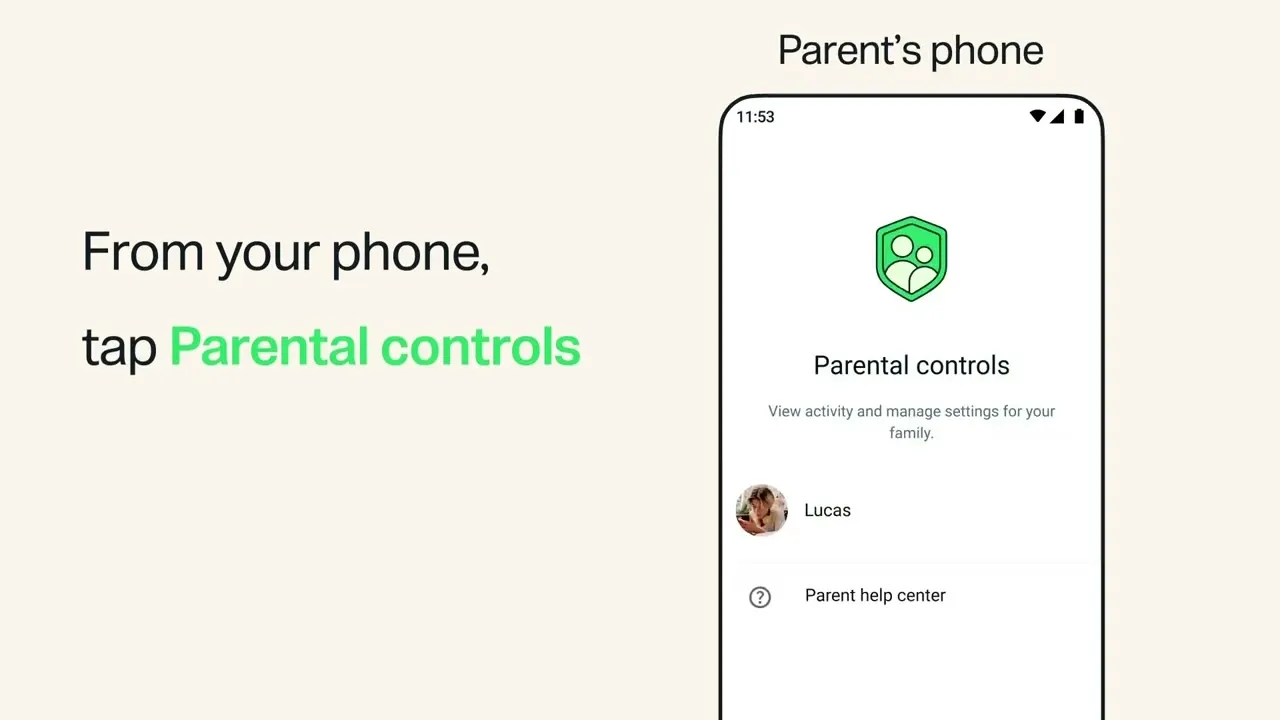
WhatsApp has introduced new parental controls for teenagers, offering families additional tools to manage age-appropriate usage and privacy settings on the messaging platform.
Under the new controls, parents can choose privacy settings for their teenagers, including who can see their profile photo and who can add them to groups.
WhatsApp emphasizes that these controls are designed to support open conversations about how to use the platform between parents and teens, while keeping everyone’s personal messages private.
The new features are being introduced in phases and will be expanded based on feedback from families.
WhatsApp stresses that the features are optional and can be enabled, adjusted, or turned off at any time.
For Meta AI, parents have the ability to change the setting from the default '13-plus' experience to a more restricted 'Limited Content' option.
Parents can help manage privacy settings, get alerts about group activity, and decide how their teen uses Meta AI, Channels, and Status updates.
Even with controls turned on, teens' personal messages and calls remain private and protected by end-to-end encryption.
WhatsApp's new parental controls are designed to spark conversations between parents and teenagers about responsible use of the platform, rather than provide a way for parents to read the teen's private messages or listen to calls.
What this adds
Google has provided guidance on setting up and customizing the Googlebook, including how to make the best use of unique features like the Glowbar and on-screen key-mapping.
WhatsApp's new parental controls are coming soon on the platform and are intended to help families manage their teens' online activities while maintaining privacy.
Background
Google has released support pages detailing key features of the Googlebook, including the Glowbar and Game Controls, while WhatsApp introduces new parental controls for teenagers.
Google has released support pages detailing key features of the Googlebook, including the Glowbar and Game Controls.
What's confirmed
- For instance, the Glowbar stays dimly lit in white when the Googlebook is in use and glows brighter when the laptop is charging.
- Another nifty feature Google explains is called Game Controls, and it lets you assign keys to on-screen controls for Android games running on Googlebooks.
- Nacon announced what the company is claiming is the world’s first officially licensed PlayStation 5 controller with a built-in screen for adjusting settings like joystick sensitivity or remapping buttons right on the gamepad.
- The customizable Revolution 5 Unlimited gamepad features asymmetrical TMR thumbsticks and a built-in settings screen.
- The Revolution 5 Unlimited ’s screen can also be used to mix audio from multiple sources so while using a pair of headphones connected to the gamepad with a cable you can listen to music from your phone and sounds from the game you’re playing at the same time.
- “These controls are being designed to support open conversations about how to use WhatsApp between parents and teens, while keeping everyone’s personal messages private,” the company said.
- WhatsApp has introduced new parental controls for teenagers, offering families additional tools to manage age-appropriate usage and privacy settings on the messaging platform.
- Under the new controls, parents will be able to choose privacy settings for their teenagers, including who can see their profile photo and who can add them to groups.
What's still developing
- Google, for starters, has a page dedicated to understanding the different states of the Glowbar, elaborating on the different lighting conditions for the strip.
- While it’s primarily designed for use with the PS5, the R5U features an asymmetrical stick layout similar to Xbox and Switch gamepads with a pair of drift-resistant tunneling magnetoresistance (TMR) thumbsticks.
- Besides these, you’ll find a handful of features such as 4K AI upscaling, AI customization mode, AI sound controller, Live Translate, and more that are designed to enhance your viewing experience while making the sound clear and powerful for each type of content.
- The remake will feature enhanced graphics, improved controls and gameplay, and a new mode that stars the anime's protagonist Chup.
- It brings Siri AI, new Apple Intelligence features, more control over Liquid Glass, and improvements throughout the system.
- The controller features asymmetric TMR sticks as well as a built-in control screen, and has been built following years of feedback from the esports community.
- The Nacon Revolution 5 Unlimited controller has been officially licensed by Sony, and is the first with a built in control screen, meaning players can adjust their settings almost instantly and without having to leave their game.
- The controller also features remappable shortcut buttons, micro-switch action buttons and trigger blockers which switch instantly from analogue to a short click.
- Advanced software features include the Shooter Pro mode, to enhance responsiveness and performance.
Sources
- Jagranjoshlink
- Nglink
- Thetechoutlooklink
- Warpbeatlink
- The Vergelink
- The Indian Expresslink
- Indiabloomslink
- Pcguidelink
- Animenewsnetworklink
- 9To5Maclink
- Playdaylink
- Macobserverlink
- Androidauthoritylink
- WarpBeat — background on Googlebook Details Key Features, WhatsApp Introduces Parental Controls link
- Rising Data Analyst — video link